

Why “autopay discount” is confusing in Canada right now
If you’ve been shopping Canadian phone plans lately, you’ve probably seen pricing that looks like this:
- $55/month plan
- “$5 autopay discount”
- “$10 monthly credit”
- Final: $40/month (but only if you pay a specific way)
The catch is that “autopay” doesn’t mean the same thing across carriers anymore. Some brands allow a credit card and still give you the discount. Others only give the discount if you use a bank account (pre-authorized debit). And some prepaid brands don’t do a classic “discount” at all, they use rewards or points systems instead.
This post breaks down what’s actually going on, why carriers are picky about payment methods, and how to set things up safely.
The two types of autopay you’ll see
1) Credit card autopay (pre-authorized credit card payments)
This is the classic setup: your monthly bill is charged to a credit card automatically.
Why people like it:
- You can earn points/cashback on a recurring bill.
- Some cards include device insurance and extended warranty when you pay the bill with that card.
- Credit cards often provide an extra layer of dispute protection.
Many Canadians assume this is what “autopay” means everywhere—but it’s not always what qualifies for the discount.
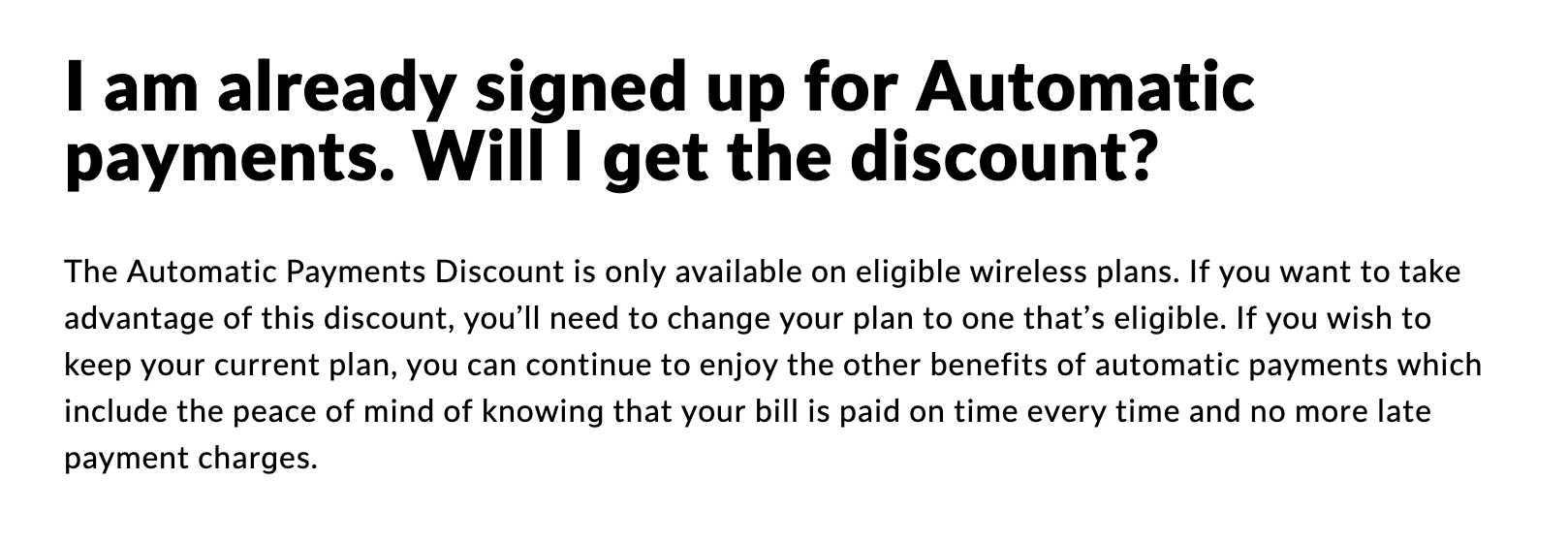
Fido, for example, explicitly markets an Automatic Payments Discount on eligible plans, and the way you set it up is designed around automatic payments (including credit card options).
2) Bank account autopay (pre-authorized debit / PAD)
This is when the carrier withdraws the bill amount directly from your chequing account (or sometimes a debit product that behaves like PAD).
Why carriers like it:
- Lower payment processing costs than credit cards (those fees add up).
- Lower payment failure rates.
- They have more control over the payments overall. It's a lot easier for someone to change their credit card number than it is for them to change their bank account number.
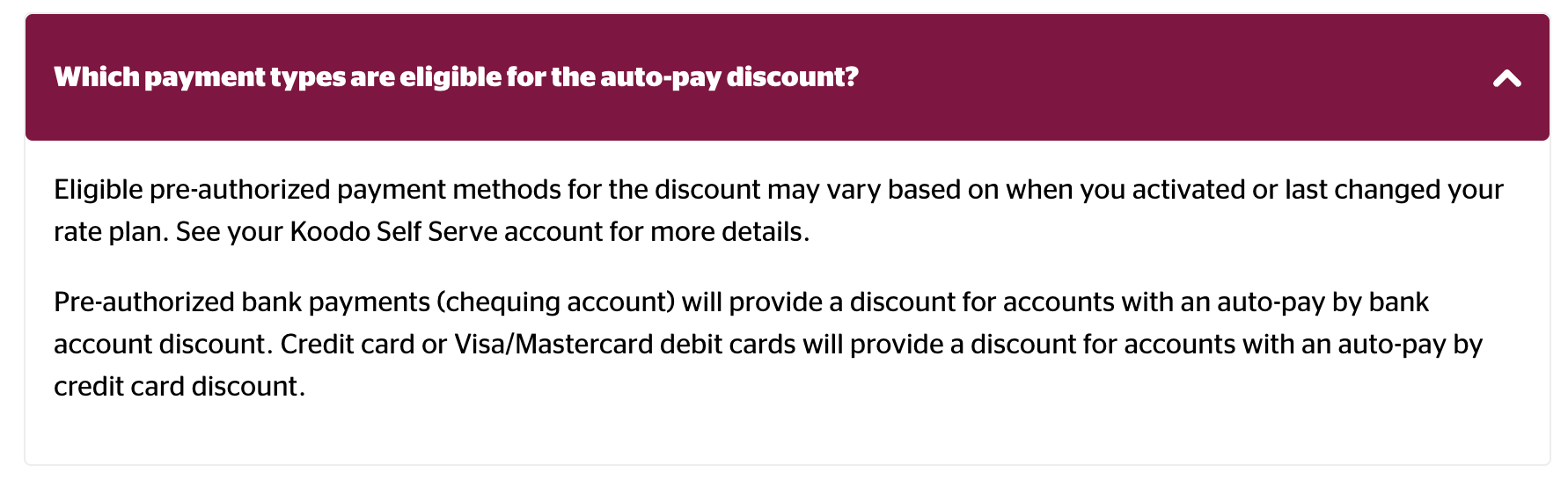
Koodo’s current “Auto-pay discount” messaging is tied to setting up eligible pre-authorized payments, and in practice the discount is commonly associated with bank account PAD (with some province-specific nuances called out by Koodo).
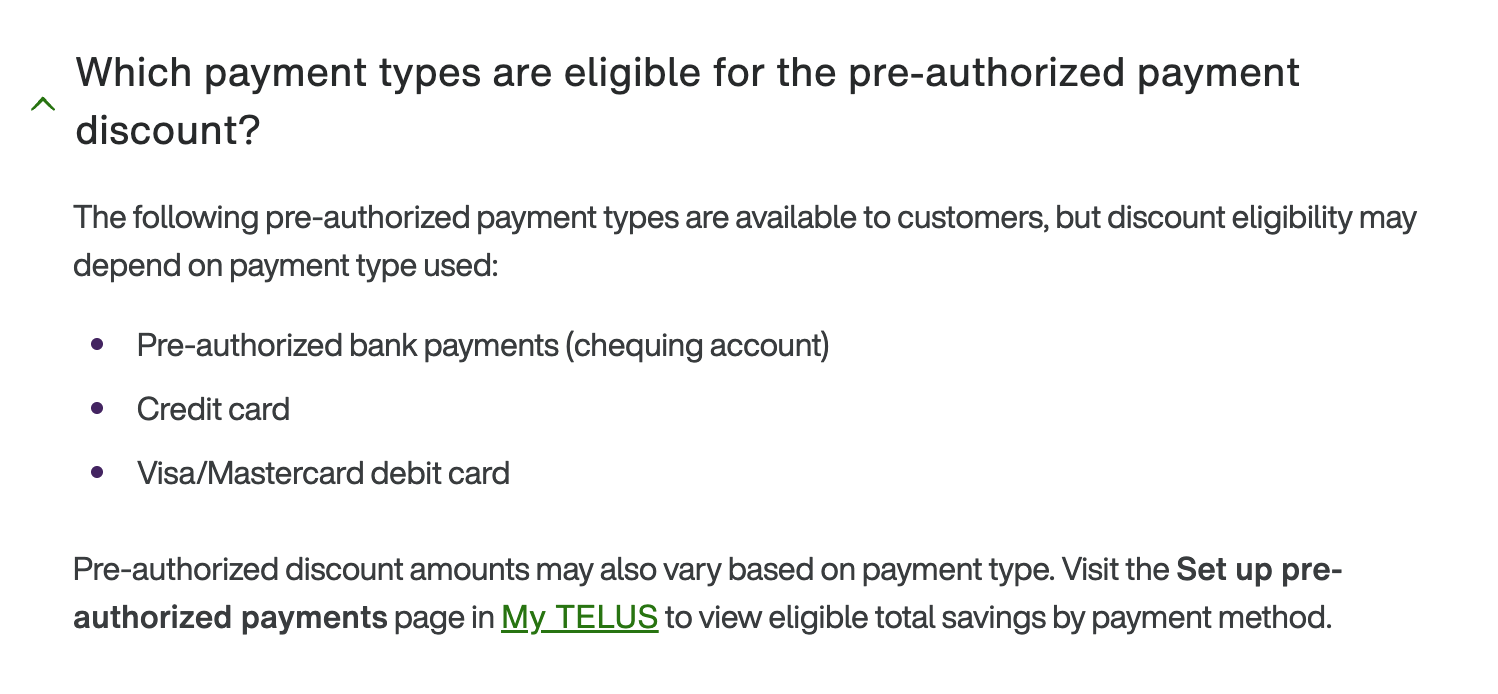
TELUS similarly documents a pre-authorized payments discount and explains eligibility in its FAQ.
Why some carriers moved away from credit cards for discounts
This shift isn’t just a Canada thing. Major US carriers have also tightened autopay rules around payment methods, widely linked to credit card processing costs and discount “loopholes.”
In Canada, the practical result is:
- You might still be able to pay your bill with a credit card.
- But you may not qualify for the advertised “autopay discount” unless your autopay method is a bank account (or another specifically eligible method).
That’s why you’ll see plan pricing that looks great until you realize it assumes a discount you won’t get with your preferred payment method.
The real tradeoff: discount vs credit card benefits
Before you switch your autopay method, do a quick value check.
When the bank-account discount is worth it
If you’re saving $5–$10 per line per month, it can be significant—especially for multi-line accounts. Over a year:
- $5/month = $60/year
- $10/month = $120/year
For families, those numbers multiply quickly.
When credit card autopay is worth keeping
Credit card autopay can be worth more than $5/month if:
- Your card has strong recurring-bill multipliers. In most cases, it's unlikely that the multiplier will outweight the
- You rely on device insurance that requires paying the monthly bill with that card.
- You want the flexibility and dispute protection credit cards can offer.
Important note: insurance rules vary by card issuer and policy wording. Many “mobile device insurance” policies are strict about the bill being charged to the insured card. If you switch to bank PAD to unlock a discount, verify you won’t accidentally disqualify yourself.
Carrier-by-carrier: what usually qualifies
Koodo
Koodo’s published help content frames the autopay discount around eligible pre-authorized payments and explains how to qualify. In practice, many customers report that a bank account PAD is required to get the discount amount being advertised on in-market plans. They do mention that plas that mention "auto-pay by credit card discount" do allow for a discount when paying by credit card.
What to watch for:
- Some plans are advertised “after autopay discount,” so the sticker price may be higher if you don’t enable the eligible method.
- If you’re switching payment methods specifically to get the discount, confirm in Self Serve that the discount appears on the account after the change.
TELUS
TELUS documents a pre-authorized payments discount and describes how the discount applies when eligible payment methods are active.
What to watch for:
- TELUS accounts with multiple services (mobility + home) can have different billing setups. You may need to double check how you need to make your payments in order to get the discount.
- If you’re on an older plan, confirm whether the discount is available on your plan or only on in-market plans.
Fido
Fido publishes an Automatic Payments Discount FAQ and clearly positions it as something that applies only to eligible wireless plans (not automatically to every plan). Fido does allow you to use a credit card for the autopay discount.
What to watch for:
- A plan can be “eligible” or not eligible for the discount—even if you have autopay enabled.
- Many promos are structured as “regular price + ongoing credits + autopay discount,” so you’ll want to confirm all components appear on your first bill.
Public Mobile (prepaid)
Public Mobile’s billing is prepaid, and it has historically leaned on “AutoPay” + rewards/points mechanics rather than a classic postpaid autopay discount model. However, they have replaced the previous $2/month Autopay discount with a points-based system for all users. Instead of a direct bill reduction, all customers now earn 2% back in points on their total payments (including plan renewals and add-ons). These points can be redeemed for bill credits.
How to set up autopay safely (best practices)
If you decide to enable autopay—especially bank PAD—use a “trust but verify” setup.
- Use account alerts
- Turn on bank notifications for withdrawals (or credit card charge alerts).
- Keep a small buffer in chequing
- Avoid NSF fees if a bill posts earlier than expected.
- Screenshot your plan details on the day you switch
- Save the plan price, included discounts, and any credits.
- Confirm discount application after setup
- Don’t assume it’s active until you see it reflected in your account or first invoice.
- Consider a dedicated “bills” bank account
- Some people use a separate chequing account with limited funds for PAD bills. This makes it easier to keep track of these bill payments done via bank account.
Quick checklist: before you switch to bank PAD for a discount
- Confirm the discount amount per line and whether your plan is eligible.
- Check your credit card’s mobile device insurance requirements (if you rely on it).
- Confirm whether you can still pay an extra amount manually by credit card without losing the discount (rules can vary and enforcement can change).
- Decide if the annual savings beats your points/cashback value.
Bottom line
In Canada, “autopay discount” is no longer a one-size-fits-all feature. The plan price you see is often conditional on the exact payment method you use.
If you’re optimizing for the lowest monthly bill, bank PAD discounts can be a real win—especially on multi-line accounts. If you’re optimizing for credit card rewards or device insurance, the credit card route can still be the better deal even if the plan looks $5/month higher on paper.