
Apple Intelligence needs specific iPhone hardware
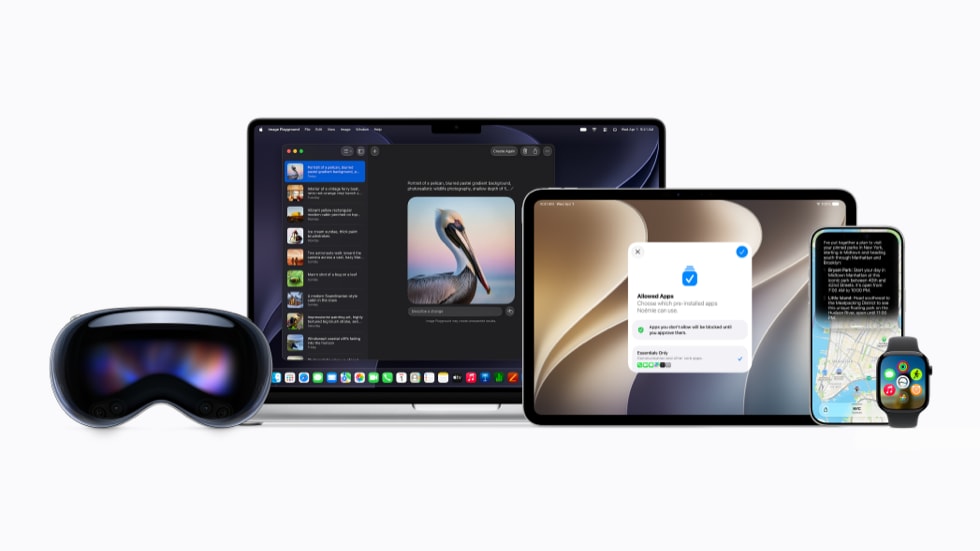
Apple Intelligence is Apple's built-in AI system for iPhone, iPad, Mac, Apple Vision Pro, and some Apple Watch features when paired with a supported iPhone. On iPhone, it is not available on every model that can run recent iOS versions.
In 2026, Apple lists Apple Intelligence support for iPhone 15 Pro models, iPhone 16 models, and newer iPhones. That means the regular iPhone 15 and iPhone 15 Plus are not included, even though they are newer than many phones people still use every day.
The short version:
- iPhone 15 Pro and iPhone 15 Pro Max support Apple Intelligence.
- All iPhone 16 models support Apple Intelligence.
- All current iPhone 17 models and iPhone Air support Apple Intelligence.
- Regular iPhone 15, iPhone 15 Plus, iPhone 14, iPhone 13, and older models do not support Apple Intelligence.
iPhones that support Apple Intelligence
Apple's current compatibility list includes these iPhones:
| iPhone model | Chip | Apple Intelligence support |
|---|---|---|
| iPhone 17 Pro Max | A19 Pro | Yes |
| iPhone 17 Pro | A19 Pro | Yes |
| iPhone Air | A19 Pro | Yes |
| iPhone 17 | A19 | Yes |
| iPhone 17e | A19 | Yes |
| iPhone 16 Pro Max | A18 Pro | Yes |
| iPhone 16 Pro | A18 Pro | Yes |
| iPhone 16 Plus | A18 | Yes |
| iPhone 16 | A18 | Yes |
| iPhone 16e | A18 | Yes |
| iPhone 15 Pro Max | A17 Pro | Yes |
| iPhone 15 Pro | A17 Pro | Yes |
If you are buying an iPhone in 2026 and Apple Intelligence is important to you, these are the models to focus on.
iPhones that do not support Apple Intelligence
Apple does not list these iPhones for Apple Intelligence:
- iPhone 15
- iPhone 15 Plus
- iPhone 14 Pro Max
- iPhone 14 Pro
- iPhone 14 Plus
- iPhone 14
- iPhone 13 Pro Max
- iPhone 13 Pro
- iPhone 13
- iPhone 13 mini
- iPhone 12 series
- iPhone 11 series
- iPhone XS, XS Max, XR, and older
- iPhone SE models before iPhone 16e
Some of these phones may still receive iOS updates, security updates, app updates, and non-AI features. Apple Intelligence support is a separate hardware requirement.
Why the regular iPhone 15 does not support it
The iPhone 15 and iPhone 15 Plus use the A16 Bionic chip. The iPhone 15 Pro and iPhone 15 Pro Max use the A17 Pro chip.
That chip difference is why Apple Intelligence support starts with the iPhone 15 Pro line rather than the full iPhone 15 family.
This can be confusing because the iPhone 15 and iPhone 15 Pro were released in the same generation. For Apple Intelligence, Apple draws the line at iPhone 15 Pro, iPhone 15 Pro Max, iPhone 16 models, and newer.
What Apple Intelligence includes on iPhone
Apple Intelligence is a group of AI features across iOS, not just one app.
Depending on iOS version, language, region, and feature rollout, Apple Intelligence can include:
- Writing Tools for rewriting, proofreading, and summarizing text
- notification summaries
- Priority Messages in Mail
- summaries in Mail and Messages
- Image Playground
- Genmoji
- Clean Up in Photos
- Visual Intelligence
- smarter search in Photos
- Siri AI features on supported software
- on-device and Private Cloud Compute processing for more complex requests
The exact feature set can vary. Apple adds features through software updates, and some features arrive later than others.
Apple Intelligence and Siri AI are related, but not identical
Apple Intelligence is the broader AI system. Siri AI is the new version of Siri powered by Apple Intelligence.
An iPhone must support Apple Intelligence before it can use the new Siri AI features. In Apple's WWDC26 announcement, Siri AI is described as an updated assistant that can use personal context, understand on-screen content, answer broader questions, and take actions across apps.
For iPhone buyers, the practical point is simple: if the iPhone is not on Apple's Apple Intelligence compatibility list, it should not be expected to get Siri AI.
iOS support is not the same as Apple Intelligence support
An older iPhone may support a new iOS version without supporting Apple Intelligence.
For example, an iPhone 14 or regular iPhone 15 may still be useful and may still receive software features, but it is not included in Apple's Apple Intelligence hardware list.
Before upgrading, separate these two questions:
- Can this iPhone install the iOS version I want?
- Can this iPhone run Apple Intelligence?
For AI features, the second question is the one that decides compatibility.
Language and region availability
Hardware is only one requirement.
Apple also says Apple Intelligence requires a supported language and availability in the user's region. Apple's feature availability page lists Apple Intelligence support across many languages, including English variants such as English (Canada), English (United States), English (United Kingdom), and others, along with French, German, Italian, Spanish, Portuguese, Japanese, Korean, Chinese, and more.
Some features may not be available in every language or region at the same time. Apple also notes regional limits for certain markets.
For Canadian users, English (Canada) and French (Canada) are both listed in Apple's feature availability information for Apple Intelligence features.
How to check if your iPhone supports Apple Intelligence
Use these steps:
- Open Settings.
- Tap General.
- Tap About.
- Check the model name.
- Compare it with Apple's supported iPhone list.
If your phone is an iPhone 15 Pro, iPhone 15 Pro Max, any iPhone 16 model, iPhone 17 model, iPhone 17e, or iPhone Air, it is in the supported group.
If your phone is an iPhone 15, iPhone 15 Plus, iPhone 14, or older, it is not in the supported group.
What to do if Apple Intelligence is missing
If you have a supported iPhone but do not see Apple Intelligence features, check:
- Software version: Update to the latest available iOS version.
- Language: Set Siri and device language to a supported language.
- Region: Confirm the feature is available in your region.
- Storage: Keep enough free storage for system features and downloads.
- Settings: Check Apple Intelligence settings after updating.
- Beta status: Some iOS 27 features may be beta features or may roll out in later updates.
If you have an unsupported iPhone, a software update will not add Apple Intelligence support unless Apple changes its hardware requirements.
Should you upgrade only for Apple Intelligence?
It depends on how you use your phone.
Apple Intelligence may be useful if you often:
- write emails, notes, or messages on your phone
- use Siri regularly
- search through Photos
- edit images in Photos
- manage many notifications
- use Mail and Messages heavily
- want access to newer iOS AI features as they arrive
It may be less important if you mainly use your phone for calling, texting, browsing, maps, banking, camera, and social media.
For many people, battery health, camera quality, storage, screen condition, monthly plan cost, and resale value may be more important than AI support.
Used iPhone buying advice
If you are buying used and want Apple Intelligence, avoid assuming that any recent iPhone qualifies.
The regular iPhone 15 is the common trap. It is a modern iPhone, but it is not on Apple's Apple Intelligence compatibility list.
A simple used-buying guide:
- Best value targets for Apple Intelligence: iPhone 15 Pro, iPhone 15 Pro Max, iPhone 16, iPhone 16 Plus, iPhone 16e
- Stronger premium options: iPhone 16 Pro, iPhone 16 Pro Max, iPhone 17, iPhone Air, iPhone 17 Pro, iPhone 17 Pro Max
- Skip for Apple Intelligence: iPhone 15, iPhone 15 Plus, iPhone 14 series, iPhone 13 series, older iPhones
If you are selling a phone, Apple Intelligence support can also affect buyer interest. Models that support it may be easier to position as current, especially as more iOS features depend on AI hardware.
Quick answer
In 2026, Apple Intelligence is supported on iPhone 15 Pro, iPhone 15 Pro Max, all iPhone 16 models, iPhone 17, iPhone 17e, iPhone 17 Pro, iPhone 17 Pro Max, and iPhone Air.
The regular iPhone 15, iPhone 15 Plus, iPhone 14 series, iPhone 13 series, and older iPhones do not support Apple Intelligence.
Sources: