
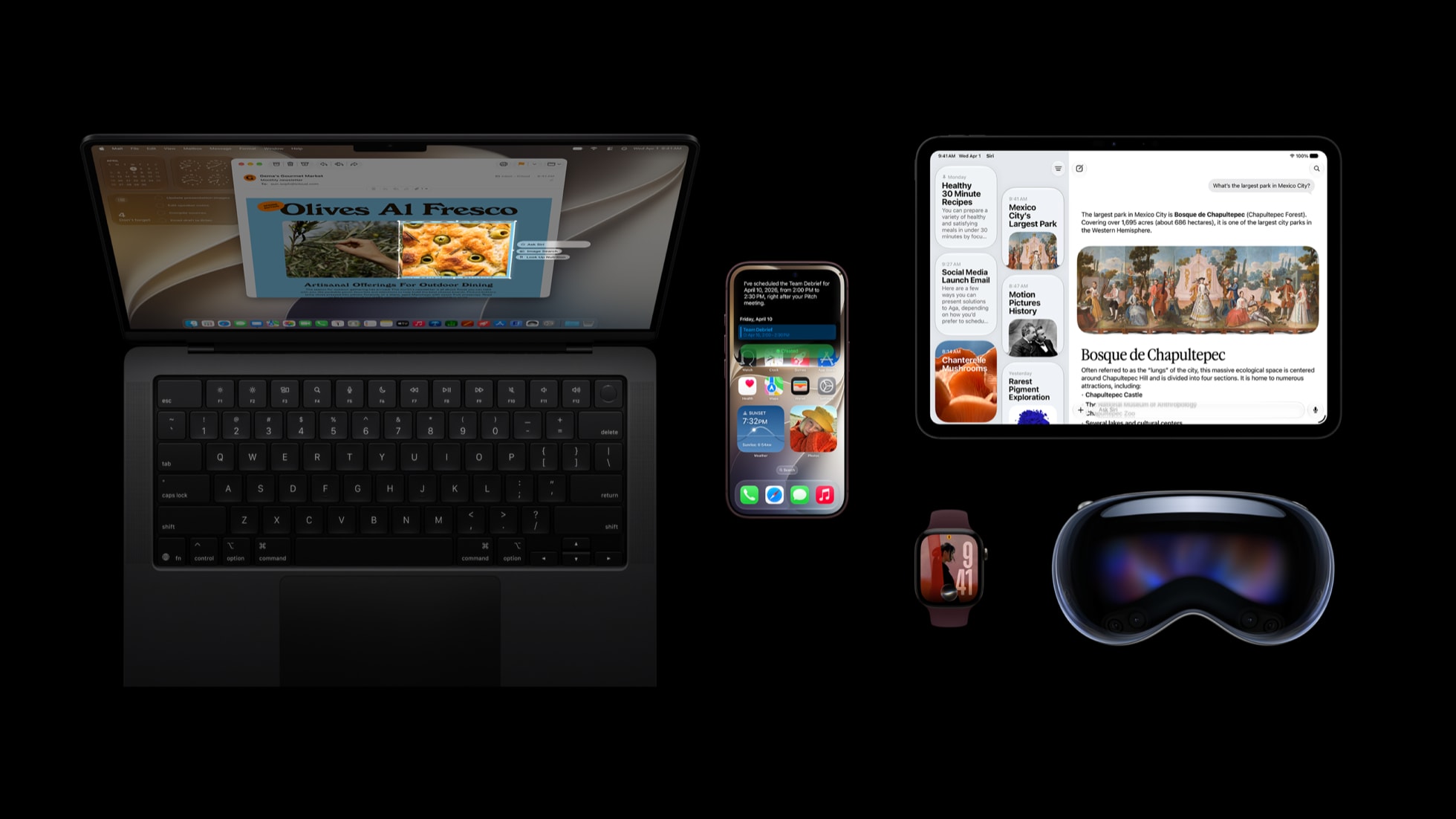
iOS 27 is now available in Canada
Apple released iOS 27 on September 14, 2026. It is a free software update for the iPhone 11 and newer, as well as the iPhone SE from the second generation onward.
The update includes performance and connectivity changes, a revised Liquid Glass design, improved search, full-resolution iCloud Shared Albums and new parental controls. Newer iPhones also receive Siri AI and additional Apple Intelligence features.
Most people with a compatible iPhone can update after making a backup and checking that essential apps still support the new version. People who depend on an iPhone for specialized work software, medical accessories or other critical hardware may prefer to confirm compatibility first.
Which iPhones support iOS 27?
Apple lists the following models as compatible:
| iPhone generation | Supported models |
|---|---|
| iPhone 18 | iPhone 18 Pro, iPhone 18 Pro Max |
| Other current models | iPhone Duo, iPhone Air |
| iPhone 17 | iPhone 17e, iPhone 17, iPhone 17 Pro, iPhone 17 Pro Max |
| iPhone 16 | iPhone 16e, iPhone 16, iPhone 16 Plus, iPhone 16 Pro, iPhone 16 Pro Max |
| iPhone 15 | iPhone 15, iPhone 15 Plus, iPhone 15 Pro, iPhone 15 Pro Max |
| iPhone 14 | iPhone 14, iPhone 14 Plus, iPhone 14 Pro, iPhone 14 Pro Max |
| iPhone 13 | iPhone 13 mini, iPhone 13, iPhone 13 Pro, iPhone 13 Pro Max |
| iPhone 12 | iPhone 12 mini, iPhone 12, iPhone 12 Pro, iPhone 12 Pro Max |
| iPhone 11 | iPhone 11, iPhone 11 Pro, iPhone 11 Pro Max |
| iPhone SE | iPhone SE (2nd generation) and iPhone SE (3rd generation) |
The iPhone XS, iPhone XS Max and iPhone XR are not on Apple's iOS 27 compatibility list. Those models supported earlier releases but cannot install iOS 27.
To confirm your model, open Settings > General > About and check Model Name.
iOS 27 support does not mean every feature is included
An iPhone may support iOS 27 without supporting Apple Intelligence. The general operating-system improvements work across compatible models, but Siri AI and other AI functions require newer processors and memory.
Apple Intelligence in iOS 27 supports:
- iPhone 15 Pro and iPhone 15 Pro Max
- every iPhone 16 model, including iPhone 16e
- every iPhone 17 model and iPhone Air
- iPhone 18 Pro and iPhone 18 Pro Max
- iPhone Duo
The regular iPhone 15 and iPhone 15 Plus can install iOS 27 but do not receive Apple Intelligence. The same limitation applies to the iPhone 11 through iPhone 14 families and the supported iPhone SE models.
Some AI functions have narrower requirements. Apple says its largest on-device model, expressive Siri voices and more advanced Dictation require an iPhone 17 Pro, iPhone 17 Pro Max, iPhone 18 Pro or iPhone 18 Pro Max. Server-based functions including Siri AI, intelligent photo editing and Image Playground can also be subject to daily usage limits.
For a complete model comparison, see Which iPhones Support Apple Intelligence in 2026?.
What changes in iOS 27?
Siri AI and Apple Intelligence
Siri AI is a new version of Siri that can hold longer conversations, answer general questions, use information from supported apps and understand content shown on the screen. A dedicated Siri app keeps conversation history synchronized privately through iCloud.
Siri AI can also help create or revise text, find information across messages, email and photos, and perform supported actions in apps. Siri mode in Camera combines Siri with Visual Intelligence so users can ask about an object or scene in the viewfinder.
The feature is rolling out as a beta in English. Apple says French, Japanese, Korean, Portuguese and Spanish support will follow in October 2026. The iPhone and Siri language settings must use a supported language.
Other Apple Intelligence additions include:
- Spatial Reframing, Extend and an upgraded Clean Up tool in Photos
- automatic topic grouping and change notifications in Safari
- contextual action suggestions in Messages and Mail
- Call Context for showing relevant information during a business call
- photorealistic options in Image Playground
- natural-language creation of Shortcuts
Several of these features use server-side processing and may have usage limits. Apple also labels some functions as coming in a later update, so installing iOS 27.0 does not immediately provide every feature shown on Apple's iOS 27 page.
Performance and connectivity
Apple says apps can launch up to 30 per cent faster, recently captured photos can appear in the Photos library up to 70 per cent faster and AirDrop transfers can be up to 80 per cent faster. These figures come from Apple's controlled tests using different iPhone models and workloads, so the improvement on an individual phone will vary.
iOS 27 also changes how an iPhone moves between Wi-Fi and cellular service. The transition is intended to interrupt calls, directions and other active tasks less often. Messages can continue sending text while a large photo or video waits for a slow connection.
Search has been revised across Spotlight, Photos and Mail. Mail uses a new ranking system for Top Hits, while Apple says system search is more stable and comprehensive.
Liquid Glass design controls
iOS 27 refines the Liquid Glass interface introduced in the previous generation. Apple has increased contrast and adjusted refraction for readability. A new slider lets users choose an appearance ranging from more transparent to more tinted.
This is a visual change rather than a new way to navigate the phone. App icons have also been redrawn with sharper details.
Shared Albums work better outside Apple devices
iCloud Shared Albums can now preserve full-resolution photos and videos. Apple has also made it easier for Android and Windows users to join an album, add their own media and participate through iCloud.com.
This expands Shared Albums beyond Apple-only groups, although participants still need the invitation link and a supported browser.
New parental controls
Screen Time has a redesigned summary and adds Time Allowances across categories such as games, entertainment and social media. Parents can create schedules for different days or parts of the day, approve new contacts and use Ask to Browse to review website requests.
Communication Safety can intervene before a child sees images or videos containing nudity, graphic violence or gore. Family devices should all be updated to the current software versions for the new Screen Time system to work consistently. Our iOS 27 parental controls guide covers the settings in more detail.
Smaller additions across the system
Other changes include:
- custom equalizer controls for supported AirPods
- GymKit connections between iPhone and compatible cardio equipment
- improved VoiceOver image descriptions and video caption tools
- enhanced Flyover imagery in Apple Maps
- perimenopause and menopause support in Cycle Tracking
- improved HomeKit Secure Video search and summaries on supported systems
Feature availability can depend on the iPhone model, accessories, language, region, iCloud plan and other Apple devices in the home.
Should you update now or wait?
For most compatible iPhones, updating is reasonable. iOS updates include security fixes and ongoing app support in addition to visible features. iOS 27 also includes performance work intended for older supported hardware, including testing Apple conducted on an iPhone 11 Pro Max.
Waiting can still be appropriate in a few situations:
- a workplace manages the phone and has not approved iOS 27
- a required app has not confirmed compatibility
- the phone connects to specialized health, payment or industrial hardware
- there is not enough time to complete a backup and test the update before travel or important work
- the iPhone has very little free storage or an unresolved hardware problem
An older supported phone will not gain Apple Intelligence by updating. The iPhone 11, 12, 13 and 14 families still receive the design, performance, connectivity, search and other non-AI changes.
What to do before installing iOS 27
1. Make a current backup
Use Settings > [your name] > iCloud > iCloud Backup > Back Up Now, or make an encrypted backup through Finder on a Mac or Apple Devices on Windows. Confirm that the backup has completed before starting the installation.
2. Check available storage
Open Settings > General > iPhone Storage. The required download and temporary installation space vary by device. If space is limited, iOS may offer to remove and reinstall apps while preserving their documents and data.
3. Update important apps
Open the App Store, select your profile picture and install pending updates. Check the developer's support information for any app or accessory that is essential to work, travel, authentication or health monitoring.
4. Allow enough time
Connect the iPhone to power and a reliable Wi-Fi network. The phone cannot be used normally while the update installs and restarts. Avoid beginning immediately before a flight, shift or appointment.
How to install iOS 27
- Open Settings.
- Select General.
- Select Software Update.
- Choose the iOS 27 upgrade if the screen also offers an iOS 26 security update.
- Tap Download and Install and follow the prompts.
If iOS 27 does not appear, verify that the iPhone is on the compatibility list, restart it and check again. A VPN, proxy, managed-device policy or insufficient storage can also interfere with the update process.
After installation, review Settings > Battery for a few days rather than judging battery life immediately. Indexing photos, updating apps and completing background setup can temporarily increase power use after a major update.
The short answer
iOS 27 supports the iPhone 11 and newer and adds useful changes even on models without Apple Intelligence. A current backup and app-compatibility check are sensible before any major operating-system update.
Owners of an iPhone 15 Pro or newer supported model receive the broadest feature set, including Apple Intelligence and the Siri AI beta. Owners of older compatible models receive the general design, speed, connectivity, search, sharing, accessibility and safety improvements.
Sources
- Apple Canada: iOS 27
- Apple Canada: Major software updates are now available
- Apple Support: Update your iPhone or iPad
Feature availability and compatibility information are current as of September 22, 2026.